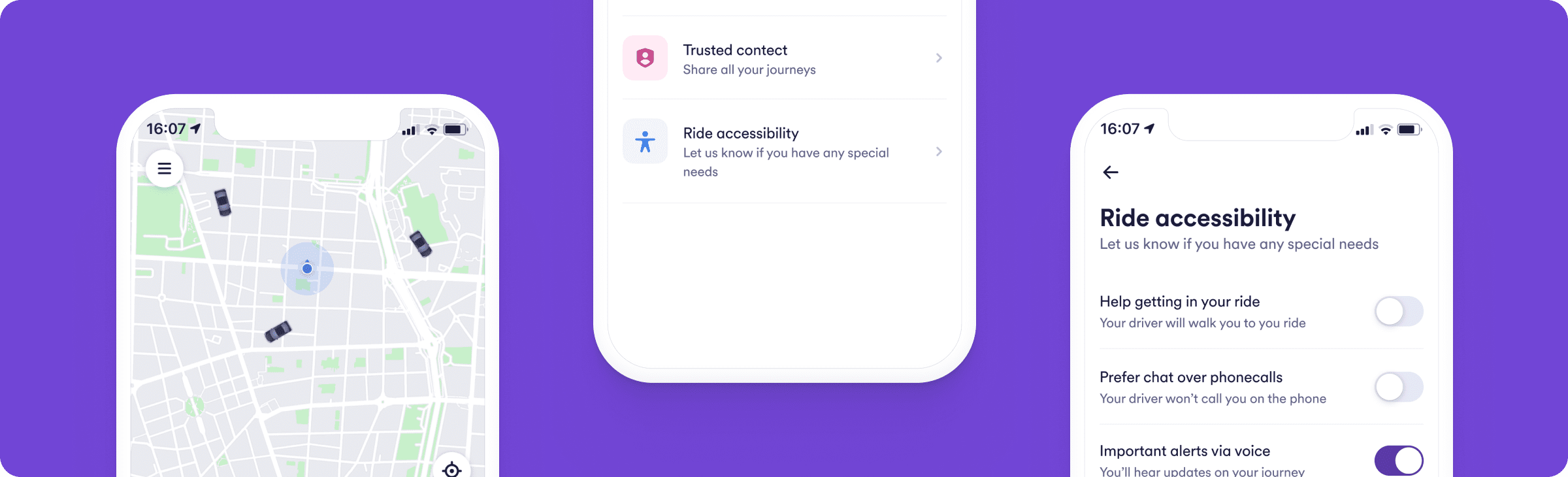

Accessibility Menu
Our accessibility menu is designed to make it easy for everyone to get around with Cabify. To set it up, simply open the app's main menu (by clicking on the icon in the top left-hand corner of the screen), click on "My account" and select "Accessibility during the ride". It shows the options, which can be activated and deactivated by clicking on the checkboxes next to each of them: